
Whether it’s State of Origin with friends or a movie night with the kids, good sound makes a big difference. I do home theatre setup across the Northern Beaches and North Shore, from a simple soundbar to a full surround sound system. I’ve been setting up TVs and sound systems since 2002, so I can get it all sounding right in your room.
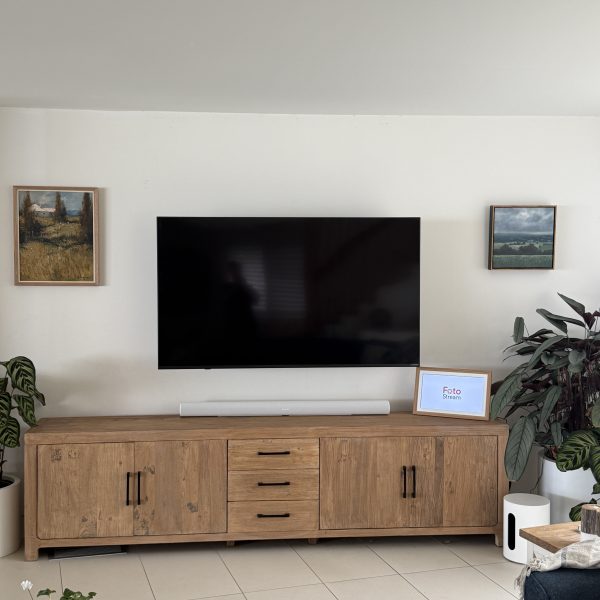
What My Home Theatre Setup Covers
- Soundbars, with or without a subwoofer and rear speakers.
- AV receivers and surround sound speakers.
- Wireless speakers, like Sonos.
- Connecting your Foxtel, Apple TV, Blu-ray player and game console.
- Setting up the TV remote to control the volume, where possible.
Not sure what to buy? I can suggest gear that suits your room and your TV before you spend anything.
Soundbar or Full Surround Sound?
For most rooms, a soundbar is the simplest way to get better sound. It sits under the TV, and with many soundbars you can add a subwoofer or rear speakers later. A full system with an AV receiver and separate speakers gives the biggest sound. However, it needs more space and more cables, so it suits a dedicated media room best.
Getting the Connection Right
A soundbar is best connected to the TV’s HDMI port marked eARC or ARC. In fact, Samsung says an HDMI connection gives the best sound quality. It also lets the TV remote control the soundbar through HDMI-CEC, so you’re not juggling remotes.
Every so often, though, a TV and soundbar just won’t connect properly over HDMI. When that happens, I connect them with an optical cable instead. Older soundbars, like the Sonos Playbar, only connect by optical anyway.
Mounting the TV too? I can wall mount the TV and hide the cables, so the TV and soundbar look neat.
Book Home Theatre Setup on the Northern Beaches or North Shore
Send me a few photos of the room, your TV and the sound gear you have or want, and I’ll tell you what’s involved. Then get in touch through the contact page or send a message to book your home theatre setup on the Northern Beaches or North Shore.