
Job Description: Instructions on how to get cables past timber noggins when wall mounting your television

There are a hand full of TV cables which are left exposed once mounting a TV onto a wall, these cables consist of power cable, coax antenna cable, HDMI cables & RCA cables. Often my customers choose the option of hiding all of their TV and media units cables through the wall as having them exposed is unsightly.
Today I’m going to show you how to get cables past a timber nogging when wall mounting your LCD TV onto the wall to achieve a clean professional look.

In a common TV Wall mounting situation, the timber noggings are normally 450mm or 600mm apart. They are normally then halfway up the wall between the floor and ceiling.
Below is a diagram showing the timber studs which the tv wall bracket will be crewed to and the timber noggins which can prevent the cables being threaded through the wall.
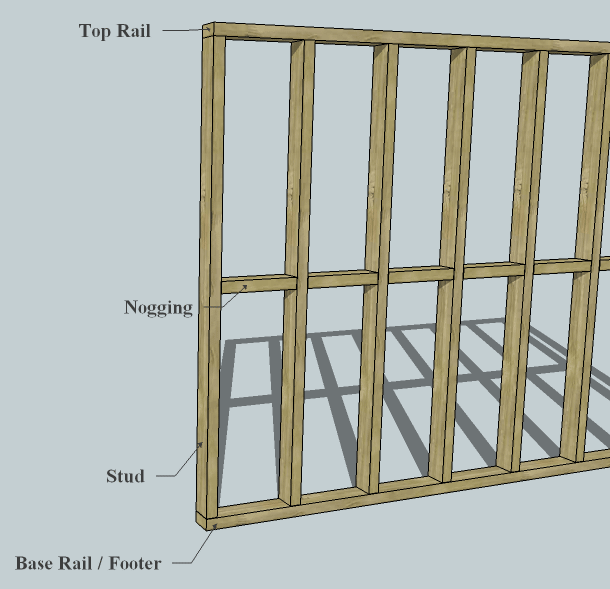
Once we are ready to Mount the TV to the wall, we have to drill a hole in the timber nogging to pass the cables through. To achieve this, we have to cut a hole in the gyprock to expose the timber to gain access to drill the hole.
Below is the step by step guide on how to hide the cables when mounting a TV wall bracket (power cable, coax antenna cable, HDMI cables & RCA cables) through the wall.
Step 1
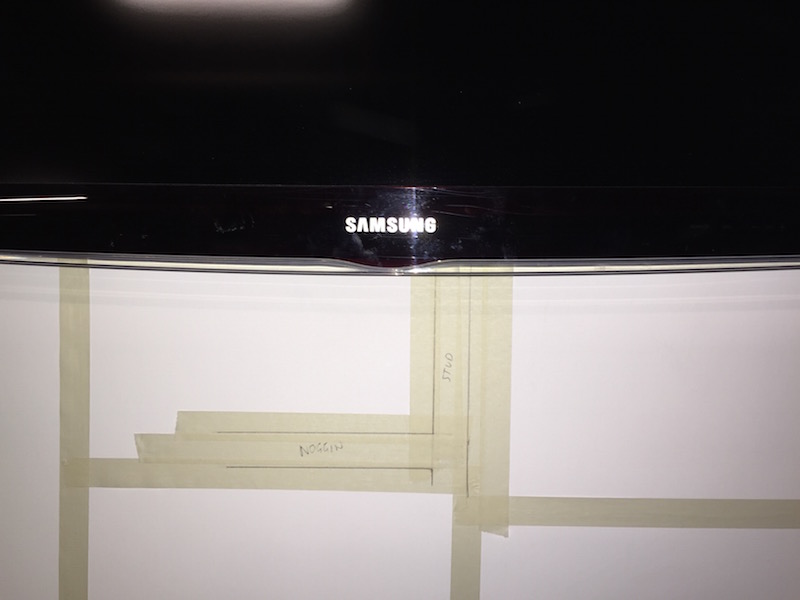
During a TV installation job where I am mounting a TV to a wall and concealing the TV cables, I use masking take to mark out the timber studs and noggings behind the gyprock wall.

Step 2
Using a high quality stud finder I have accurately found the studs and noggings
Step 3
I have now marked out the flap that I need to cut out.

Step 4
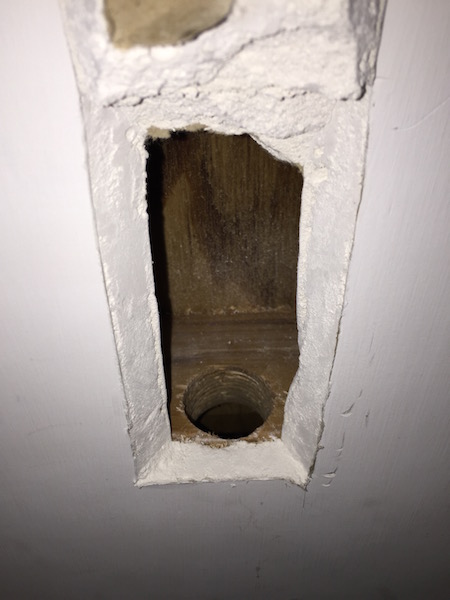
Here is an example of how I have cut the flap and exposed the timber nogging

Step 5
Using a 32mm drill bit I then proceed drilling through the timber.

Step 6
The hole is now drilled and I can thread the TV cables through
Step 7
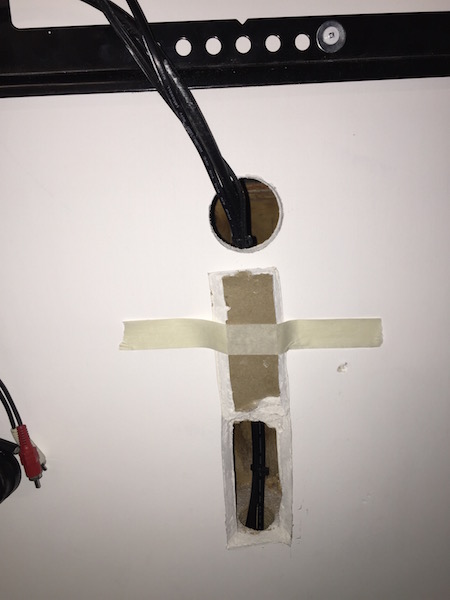
During this stage of the TV installation, the TV cables can now be threaded through
Step 8
Now I carefully close the flap back down to patch up the hole which has been created.
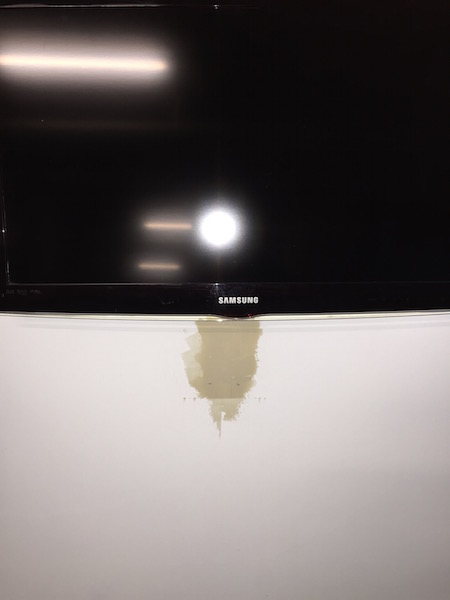
Step 9
The patch has now been sanded and painted over.
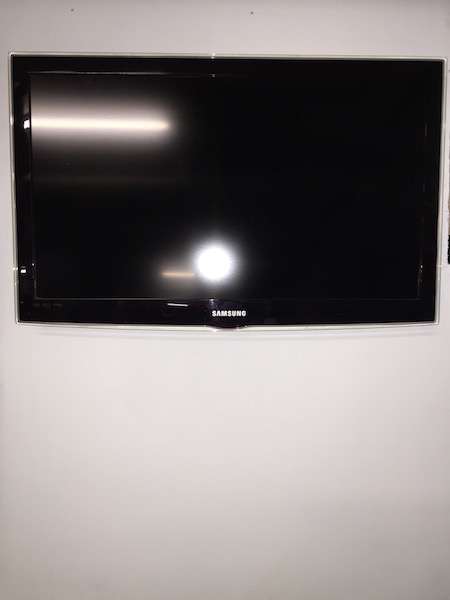
Overall I think it comes up well with little or no indication that we have cut into the wall.
If you would like your tv wall mounted contact Peter from That TV Guy on 0401 202 087.
Peter has been doing tv setups, installations and wall mounting in the Northern Beaches Sydney and North Shore Sydney since 2002.
Call 0401 202 087 Send an Email Online Enquiry
TV Advice and Tips
OLED vs QLED: Which TV Is Best for Bright, Sun-Filled Rooms on the Northern Beaches or North Shore?
Living on Sydney’s Northern Beaches or North Shore comes with plenty of perks — open-plan living, floor-to-ceiling glass, and an abundance of natural coastal light. But a sun-drenched lounge room presents a real challenge when buying a new TV: glare, reflections, and a washed-out picture if you choose the wrong panel type. How OLED and […]
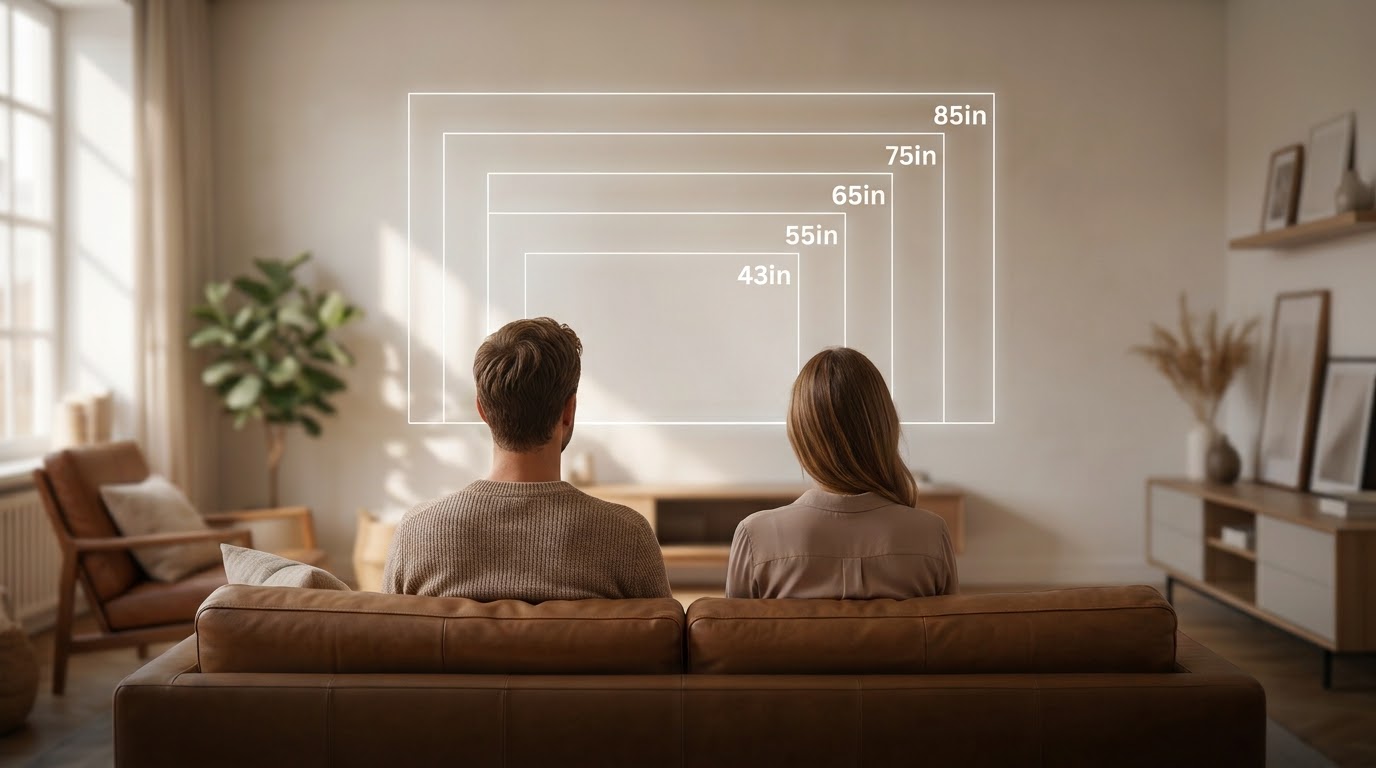
What Size TV Should You Really Buy? A Northern Beaches Sizing Guide
Walking into a big electronics showroom can genuinely throw off your sense of scale. Screens look enormous lined up under bright lights, and a size that felt “too much” in-store often ends up looking just right once it’s actually on a lounge room wall. In over 25 years installing TVs across the Northern Beaches and […]
Sony Bravia 85″ TV Setup in Newport, Northern Beaches: Fixing a Bose Soundbar That Wouldn’t Sync
TV Wall Mount and Soundbar Problems I Found in Newport Getting the Sony Bravia and Bose Soundbar Working Properly in Northern Beaches Homes I got a call about a Sony Bravia TV setup in Newport after a customer upgraded their old telly to a brand new 85 inch Sony Bravia with a Bose soundbar to […]
New LG TV Install in Killarney Heights, Northern Beaches: Reusing the Original Wall Bracket
Just replaced an 8-year-old LG 65-inch with a brand new one for a customer in Killarney Heights, and it’s a good example of why a TV upgrade doesn’t have to mean starting from scratch. Swapping TVs in Killarney Heights Without Re-Doing the Wall The old TV had been sitting on a flat wall bracket for […]

Recorder Stuck on “Please Wait”? HDD Recorder Replacement in Dee Why, Northern Beaches
If your free-to-air recorder is stuck on “please wait” and won’t move past it, I can save you a call-out — that’s almost always the hard drive dying, not something you can fix by unplugging it and trying again. That’s exactly what had happened to a customer’s recorder in Dee Why. The unit had been […]

Samsung TV Plus Hijacking Your Startup? Here’s What’s Going On – Mona Vale, Northern Beaches
You turn your Samsung TV on expecting to pick up where you left off — Netflix, Foxtel, whatever you were watching — and instead you’re dumped straight into Samsung TV Plus. Sound familiar? This is exactly what happened with a client in Mona Vale recently. Their Samsung had quietly pushed through an automatic firmware update […]